

















Taya365 How To – A Step-by-Step Guide for Filipino Players
This page covers everything you need to know about using Taya365. From creating an account to depositing, withdrawing, and playing games, each section below walks you through the process step by step. No prior experience needed.
How to Create a Taya365 Account
Creating an account is the first step before you can deposit or play.
Step 1: Go to the Platform
Click the Play Now button on this page. You will be taken to the Taya365 platform.
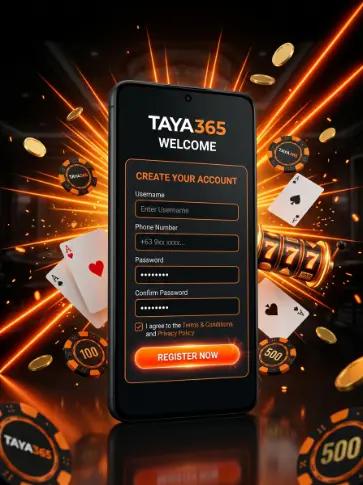
Step 2: Register
- Fill in your registration details. Use accurate information — your withdrawal account must match your registered details.
Step 3: One Account Per Player
Only one account is allowed per player. Do not create multiple accounts. Multiple accounts result in withdrawal restriction and bonus cancellation.
Step 4: You Are Ready
Once your account is active, you can deposit and start playing. No ID verification is required for standard use. Verification is only triggered if your account is locked, has a withdrawal restriction, or has a flagged violation.
Step 5: Start Using Your Account
Once active, you can deposit and start playing. No ID verification is required for standard use. Verification is only triggered if your account is locked, has a withdrawal restriction, or has a flagged violation.
How to Deposit on Taya365
Taya365 accepts GCash and Maya only. No credit cards, debit cards, PayPal, or crypto are supported. The minimum deposit is ₱100 for both methods.
Step 1: Log In
Go to the platform and log in using your registered credentials. Make sure you are on the correct site before entering your details.
Step 2: Go to the Deposit Section
Find the deposit or cash-in option in your account dashboard. It is usually in the main menu or wallet section.
Step 3: Select GCash or Maya
Choose your preferred payment method. Make sure the GCash or Maya account you use is registered under your name.
Step 4: Enter the Deposit Amount
Type in the amount you want to deposit. The minimum is ₱100. If you are depositing via Maya and want to qualify for the 5% Maya Extra Bonus, note that the maximum qualifying deposit is ₱50,000 per transaction.
Step 5: Complete the Transfer
Follow the prompts to complete the transfer through your GCash or Maya app. Approve the transaction on your end before it times out.
Step 6: Verify Your Balance
Once the transfer is confirmed, check your gaming account balance. If the deposit does not reflect within a few minutes, check your transaction history on GCash or Maya first before contacting support.
Step 7: Claim Your Maya Bonus (if applicable)
If you deposited via Maya, a 5% bonus is applied automatically. Minimum deposit ₱100, maximum bonus ₱2,500 per transaction, x1 turnover required on the bonus amount before withdrawal.
How to Withdraw on Taya365
There is no maximum withdrawal limit. The minimum withdrawal is ₱100. Standard withdrawals do not require ID.
Step 1: Log In
Log in to your account and make sure your session is active before starting a withdrawal request.
Step 2: Complete Any Pending Turnover
If you claimed a bonus, check whether your turnover requirement is fully completed. You cannot withdraw bonus-derived funds until the required turnover is met.
Step 3: Go to the Withdrawal Section
Find the withdrawal or cash-out option in your account dashboard.
Step 4: Select Your Withdrawal Method
- Choose GCash or Maya. The method must match the account registered under your profile. You cannot withdraw to a different account name.
Step 5: Enter the Withdrawal Amount
Type in the amount. Minimum is ₱100. There is no maximum limit per withdrawal.
Step 6: Confirm the Request
Submit your withdrawal. No ID upload is needed for standard withdrawals.
Step 7: Wait for Processing
Processing times vary. Delays can occur during high-volume periods or scheduled system maintenance.
Common reasons for delays:
- High transaction volume on the platform
- Scheduled system maintenance windows
- Active account flags or violations
Common reasons for restrictions:
- Multiple accounts detected under the same player
- Bonus turnover not yet completed
- Account verification triggered by a flagged violation
If your withdrawal is delayed, check your account status first. If no flags are present, reach out to support via Telegram or Facebook.
How to Claim Taya365 Bonuses
There are three active promotions on Taya365. None of them require a manual application — all are credited automatically or via the promotions inbox.
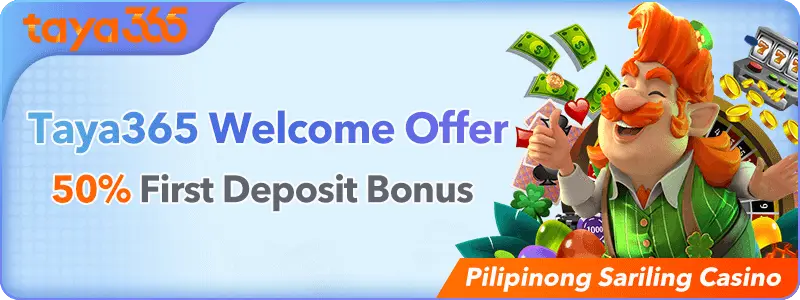
How to Claim the 50% First Deposit Bonus
This bonus is for new members only and applies to the first deposit made on the account.
Example: Deposit ₱10,000 → receive ₱5,000 bonus at 13:00 the next day. Total turnover required: ₱15,000.
Note: Draw results, refunded bets, void bets, and bets placed on two opposite sides do not count toward the turnover requirement.
Step 1: Register and log in to your account
- Visit the “Promotions” section on our website to see the latest offers and bonuses.
Step 2: Make your first deposit.
- Carefully read the terms for each bonus. This covers the games that qualify, the wagering conditions, and the expiration dates.
Step 3: No application needed. The bonus is processed automatically.
- When making a deposit, you may be required to input a promotional code or opt-in for certain benefits. Make sure to follow the instructions provided.
Step 4: Log in the next day at or after 13:00.
- Complete a deposit that meets the bonus requirements. Your bonus will usually be credited to your account shortly after.
Step 5: Complete the turnover requirement before requesting a withdrawal
- Use your bonus funds to play your favorite games and boost your chances of winning!
How to Claim the 10% Second Deposit Bonus
This bonus applies to the second deposit made by a newly registered account
Step 1: Complete your first deposit.
Step 2: Make your second deposit. Minimum ₱100.
Step 3: Log in the next day at or after 13:00.
Step 4: Go to your promotions or inbox section and collect your red envelope.
Step 5: Collect within 3 days. The red envelope expires after 3 days if not claimed.
Step 6: Complete x1 turnover on the bonus before withdrawing.
Example: Deposit ₱10,000 on your second top-up → receive ₱1,000 the next day.
This bonus is only available to accounts that have completed their withdrawal account information during registration.
How to Claim Membership Day Rewards
Membership Day falls on the 1st, 11th, and 21st of every month. All registered members qualify — no deposit is required.
Step 1:
Make sure your account is active and registered.
Step 2:
Log in on the 1st, 11th, or 21st of the month.
Step 3:
Go to the promotions or inbox section inside the platform.
Step 4:
Collect your reward before the claim window closes.
Membership Day runs every month, year-round. The reward amount varies per cycle. Check the promotions page on each Membership Day to see the current reward.
How to Play Slots on Taya365
Membership Day runs every month, year-round. The reward amount varies per cycle. Check the promotions page on each Membership Day to see the current reward.
Step 1: Open the Slots Section
Go to the slots lobby. Games are grouped by provider — JILI, PGSoft, and Fa Chai.
Step 2: Pick a Game
Choose a title based on your preferred style. JILI games like Super Ace and Money Coming have fast rounds. PGSoft games like Mahjong Ways 2 and Pinata Wins have more complex bonus structures. Fa Chai games like Sugar Bang Bang 2 and Chinese New Year use cascading and scatter mechanics.
Step 3: Set Your Bet Size
Adjust your bet per spin before you start. Each game shows the minimum and maximum bet in the settings panel.
Step 4: Check the Paytable
Open the paytable before your first spin. It shows what each symbol pays and how bonus features are triggered. This takes less than a minute and gives you a clear picture of how the game works.
Step 5: Spin and Track Your Balance
Start spinning and monitor your balance as you play. Decide on a stop-loss limit before you begin and stick to it.
How to Play Live Casino on Taya365
Go to the live casino section. Tables are grouped by game type — Baccarat, Roulette, Dragon Tiger, Blackjack, Sic Bo, and Crazy Time.
Step 1: Open the Live Casino Lobby
Go to the live casino section. Tables are grouped by game type — Baccarat, Roulette, Dragon Tiger, Blackjack, Sic Bo, and Crazy Time.
Step 2: Check Table Bet Limits
Each table displays its minimum and maximum bet before you enter. Choose a table that fits your session budget.
Step 3: Enter a Table
Click to join. The live dealer and other players are already active. You can place a bet as soon as the current betting window opens.
Step 4: Place Your Bet
Select your chip denomination and click your chosen bet zone on the table layout. Confirm your bet before the timer runs out.
Step 5: Watch the Round
The dealer runs the round live. Results are shown in real time. Winnings are credited to your balance automatically after each round.
Step 6: Continue or Leave
You can stay at the table for multiple rounds or leave at any time between rounds.
How to Play Fishing Games on Taya365
Step 1: Open the Fishing Games Section
Go to the fishing games lobby. Available titles include Mega Fishing, Jackpot Fishing, Happy Fishing, Royal Fishing, Bombing Fishing, and Fishing All-Star.
Step 2: Select a Game
Each title plays slightly differently. Happy Fishing has lower bullet costs and suits new players. Mega Fishing and Royal Fishing have higher bullet costs and bigger payouts per catch.
Step 3: Set Your Bullet Cost
Before you start, set your bullet cost per shot. Lower cost means a longer session. Higher cost means bigger returns per catch but faster balance drain if you miss.
Step 4: Aim and Fire
Point your cannon at a fish and shoot. Each fish has a point value displayed on screen. Larger fish take more shots to catch but pay more when they go down.
Step 5: Use Special Weapons When Available
Some titles like Bombing Fishing include special weapons that hit multiple targets at once. Use these strategically on clusters of high-value fish.
Step 6: Track Your Credits
Monitor your credit balance as you play. Set a limit before you start and stop when you reach it.
How to Contact Taya365 Support
Two support channels are available.
Telegram: https://t.me/taya365
Facebook: https://www.facebook.com/profile.php?id=61561738720687
There is no confirmed live chat, phone line, or email support.
For the fastest response, use Telegram.
Responsible Gaming
Online gaming is entertainment. It is not a reliable way to earn income. Set a fixed budget before each session and do not go beyond it. If you reach your limit, stop and come back another time. Do not chase losses.
If you or someone you know needs support with gaming habits, contact PAGCOR’s Responsible Gaming office directly at ResponsibleGaming@pagcor.ph.
Taya365 operates under PAGCOR monitoring.
Our Partners


Join the Taya365 Family Today!
Ready to elevate your gaming experience? Sign up now to claim your welcome bonus and start your journey with Taya365! With our focus on player satisfaction and security, you can trust that you’re in good hands.
We’re Here for You!
If you have any questions or need assistance, don’t hesitate to reach out. Our customer support team is available around the clock via live chat and email. We’re committed to ensuring you have a seamless gaming experience from day one!
Lorem ipsum dolor sit amet, consectetur adipiscing elit. Ut elit tellus, luctus nec ullamcorper mattis, pulvinar dapibus leo.